

Hey there! As a supplier of 12V vibration motors, I often get asked about how to control these motors wirelessly. It's a pretty cool topic, and in this blog, I'm gonna share some ways to achieve that.
First off, let's understand what a 12V vibration motor is. These motors are small but powerful devices that generate vibrations when an electrical current is applied. They're used in a wide range of applications, like in mobile phones for the vibration alert, in massage devices, and even in some gaming controllers. They're great because they're energy - efficient and can be easily integrated into different products.
Now, why would you want to control a 12V vibration motor wirelessly? Well, there are several reasons. For one, it adds a lot of convenience. You don't have to worry about running wires all over the place, which can make your setup look messy and can also be a safety hazard. Wireless control also allows for more flexibility in terms of where you can place the motor. You can move it around without being restricted by the length of the wires.
So, how can we control a 12V vibration motor wirelessly? There are a few methods, and I'll go through each of them.
Using Bluetooth Technology
Bluetooth is a widely used wireless communication technology. It's easy to use and has a decent range, usually up to about 10 meters. To control a 12V vibration motor using Bluetooth, you'll need a Bluetooth module and a microcontroller.
The microcontroller is like the brain of the operation. It receives the signals from the Bluetooth module and then controls the power supply to the motor. There are many types of microcontrollers available in the market, such as the Arduino. Arduino is a great choice because it's open - source, which means there's a huge community of users who can help you out if you run into any problems.
Here's a basic step - by - step guide on how to set it up:
- Connect the Bluetooth module to the microcontroller. You'll need to follow the datasheet of the specific Bluetooth module you're using to make the correct connections.
- Write a program for the microcontroller. You can use the Arduino IDE to write the code. The code will be responsible for receiving the commands from the Bluetooth module and then sending the appropriate signals to the motor driver.
- Connect the motor driver to the microcontroller and the 12V vibration motor. The motor driver is used to control the power supply to the motor. It can handle the higher current requirements of the motor.
- Pair your smartphone or other Bluetooth - enabled device with the Bluetooth module. You can then use a custom - made app or a generic Bluetooth terminal app to send commands to the motor.
Using Wi - Fi Technology
Wi - Fi is another option for wireless control. It has a much longer range compared to Bluetooth, sometimes up to 100 meters or more, depending on the environment. To control a 12V vibration motor using Wi - Fi, you'll again need a microcontroller and a Wi - Fi module.
The process is similar to the Bluetooth method. You connect the Wi - Fi module to the microcontroller, write a program to handle the communication, and then connect the motor driver and the motor. One advantage of using Wi - Fi is that you can control the motor from anywhere in the world as long as you have an internet connection. You can set up a web server on the microcontroller and access it using a web browser on your smartphone or computer.
Using Radio Frequency (RF) Technology
RF technology is also a popular choice for wireless control. It has a long range and can penetrate through walls and other obstacles better than Bluetooth and Wi - Fi in some cases. To use RF technology, you'll need an RF transmitter and an RF receiver.
The transmitter sends the commands, and the receiver receives them and then passes them on to the microcontroller. There are many different RF frequencies available, and you need to choose the one that's legal and suitable for your application.
One thing to note when using any of these wireless control methods is the power supply. A 12V vibration motor requires a stable 12V power source. You can use a battery pack or a power adapter. Make sure the power source can provide enough current to run the motor and all the other components in your setup.
Now, as a 12V vibration motor supplier, I can offer you high - quality motors that are suitable for wireless control. Our motors are designed to be reliable and efficient. If you're interested in other types of motors, we also have 24V DC Water Pump Motor and 12V Hydraulic DC Motor Two Terminals - factory. You can check out our Vibration Dc Motor - factory for more options on vibration motors.

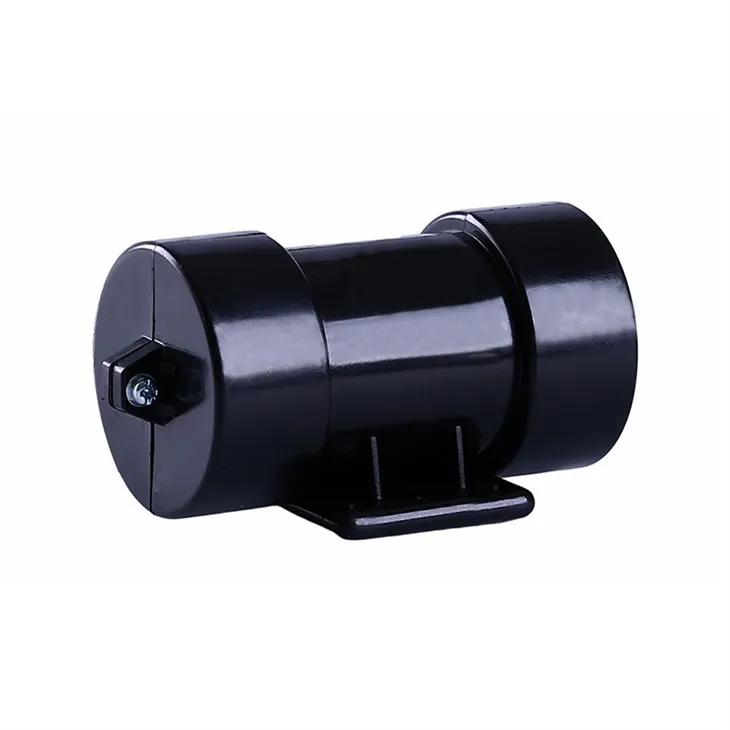
If you have any questions about wirelessly controlling a 12V vibration motor or if you're interested in purchasing our motors, feel free to reach out. We're here to help you with all your motor needs and can assist you in setting up the wireless control system.
References
- Arduino official documentation
- Bluetooth module datasheets
- Wi - Fi module datasheets
- RF transmitter and receiver datasheets